Software Review Blog or Small Software Store: A Beginner's Guide

Starting small makes it easier to learn what works, whether you plan to review a tool like client management software for small business or build a small shop's software picks. This guide covers AI and software tools, and it's written for someone who has maybe used a few apps, has opinions about them, and wonders if those opinions could turn into a blog or a tiny shop. To be straight with you from the start: results vary a lot, and many people earn little at first. Some earn nothing for months. That's normal, not a sign you did it wrong.
Many review sites exist because readers get annoyed at how many "best tool" posts are clearly written by people who never opened the tool. If you've felt that same itch, you already have the most useful trait for this kind of work. You care whether the advice is true.
Below is a walk through choosing between a blog and a store, picking a narrow topic, testing tools properly, writing reviews people believe, and common mistakes you can skip.
Short on time? Our top picks: WordPress.com, Squarespace, Shopify and Gumroad. See all picks
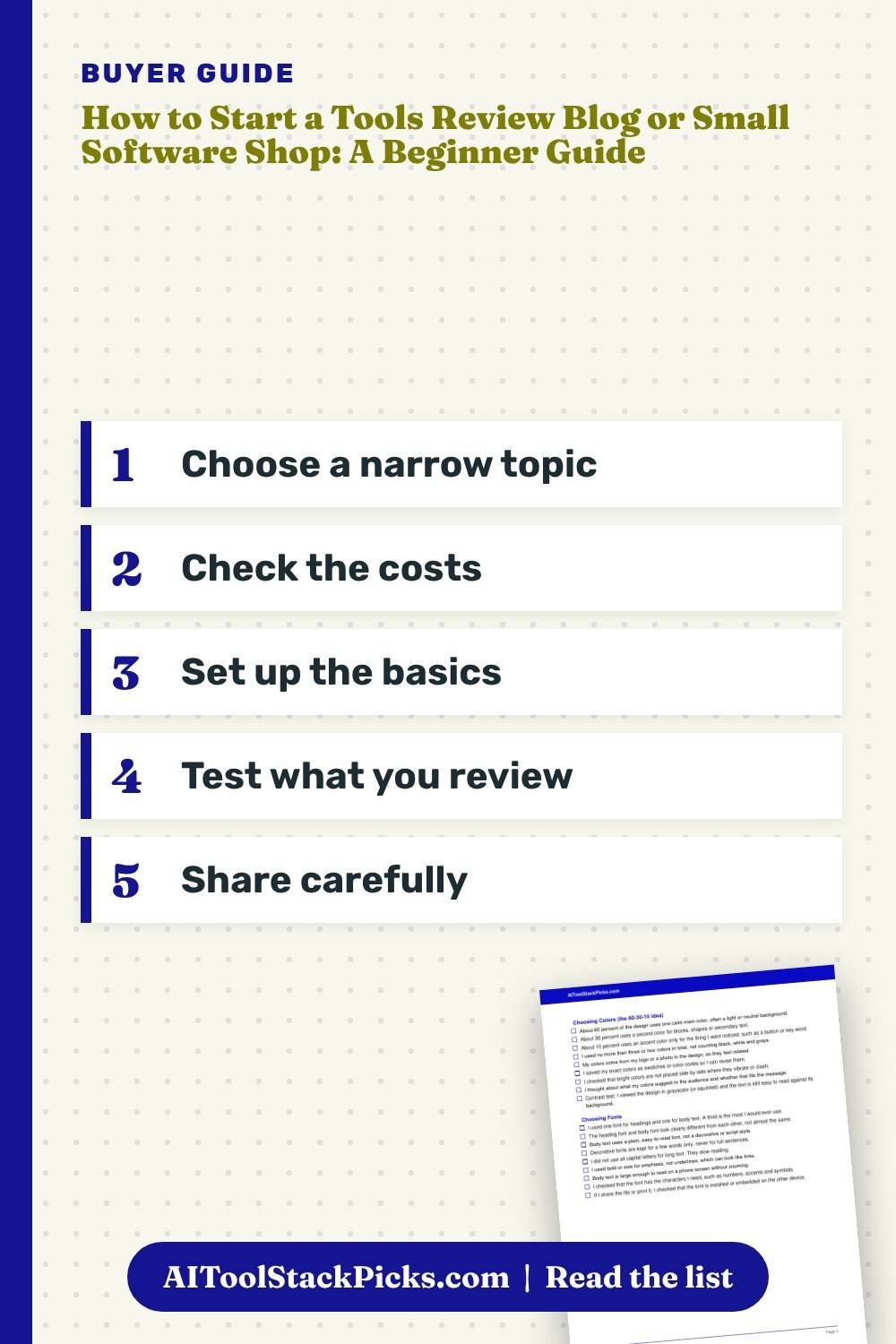
Quick summary
- A review blog is cheaper and slower. A small store needs more setup but can bring sales sooner, if you have something worth selling.
- Pick a narrow topic, like AI tools for small bakeries or writing apps for students, instead of "all software."
- Actually use every tool you write about. Screenshots and real notes beat polished opinions.
- Be clear about affiliate links and anything you get paid for.
- If you sell software or digital products, read the license terms carefully. When in doubt, ask a professional.
- Expect slow growth. Plan for months of writing before traffic shows up.
- Keep your first setup simple. You can add fancy stuff later.
Blog or Store: Which Should a Beginner Start With?
This is the first real decision, and people overthink it. Here's how I'd compare them.
The review blog
A review blog is where you test tools and write about them. You might earn through affiliate links, where you get a small cut if a reader buys through your link. Some blogs also show ads once they get enough visitors.
The good part is the low cost. You need a domain, some hosting, and your time. The hard part is that money comes slowly, because people have to find you first, and that takes a lot of posts.
The small software store
A store sells something directly. That could be templates, prompt packs, simple scripts, plugins you built, or software you have proper rights to resell. You keep more of each sale than with affiliate links, but you also handle more: payments, refunds, support emails, and making sure you're allowed to sell what you're selling.
A simple way to choose
Ask yourself one question. Do I already have something people would pay for?
If the answer is no, start with a blog. Writing reviews teaches you what people struggle with, and that often shows you what to sell later. If the answer is yes, you could start a store, but I'd still add a small blog section to it. Stores with zero helpful content feel cold, and they're hard for anyone to find.
A lot of people end up doing both. That's what I'd suggest for most beginners: blog first, store second, once you know your readers.
Picking a Niche That's Small Enough
"I'll review AI tools" is too big. There are new AI tools every week, and big sites with full teams already cover the popular ones. You won't beat them on "best AI writing tool." Pick a narrower topic instead. It went badly.
Go narrow on purpose, like one kind of business
Narrow means a specific person with a specific problem. Some examples:
- AI tools for real estate agents writing listings
- Free software for teachers making worksheets, plus customer management software for small business owners who run tutoring on the side
- Note-taking apps for people with ADHD (written with care and no medical claims)
- Project management software for small teams who juggle client work
- Writing apps for people who write fiction on their phone
Each of these has a reader you can picture. That makes writing easier, because you know who you're talking to.
Check that you actually care
You'll be writing about this topic for a long time. If the subject bores you at post number five, it'll crush you by post number forty. It helps to pick something you already use or a group of people you already belong to. A teacher reviewing teacher tools has a head start that no generic writer can copy.
Make sure there's something to review
Too narrow is also a problem. If there are only two tools in your corner, you'll run out of things to say. A quick test: can you list fifteen tools or fifteen questions your reader has? If yes, you're probably fine.
Setting Up the Basics Without Wasting Money
This part is where beginners spend too much. A common mistake is buying a premium theme, several plugins, and a logo before you have a single post. None of it mattered.
What you need on day one
- A domain name that's easy to say out loud
- Basic hosting or a simple website builder
- A clean, free or cheap theme that loads quickly
- An About page that says who you are and how you test things
- A page explaining how you make money (affiliate links, ads, products)
- A privacy policy (many tools generate a basic one, but check what your country requires)
For a store, add a payment system, a way to deliver files, and a refund policy. Compare a few store platforms, such as Shopify or Gumroad, by reading their own pricing and terms pages, since fees and rules change.
What can wait
Fancy logos, paid SEO tools, custom design, and a dozen social media accounts can all wait. Honestly, I think paid SEO tools are overrated for the first few months. You don't have enough content for the data to mean much. Spend that money on trying the actual software you're reviewing instead.
One thing I wouldn't skip is an email list. Even ten subscribers who chose to hear from you are worth more than a hundred random visitors. If you want something to get you writing, grab the Free 25 Writing Prompts Starter Sheet from the sign-up box on this page.
How to Test Client Management Software for Small Business Honestly
This is the heart of a good review site. If you skip it, everything else falls apart.
Use it for something real
Don't just click around the dashboard for ten minutes. Give the tool a real task. If it's an AI writing tool, ask it to draft an email you actually need to send. If it's project management software for small business use, run a small real project in it for a week.
A scheduling app can look great on day one and still disappoint later. By day four, I'd found that it kept double-booking me. A quick look would never have caught that.
Keep simple notes
A plain text file works for notes on every tool, or a simple Notion page if you prefer. It has:
- The date I started testing
- What plan you used (free trial, free tier, paid)
- What you tried to do
- What worked and what annoyed me
- Screenshots of anything interesting
- Questions a reader might have
Writing the review later becomes much easier. You're just turning notes into sentences.
Be careful with facts that change
Prices, features, and free plan limits change all the time. Don't write "it costs X per month" as if it's forever. A good habit is to say something like "check the seller's pricing page for the current cost," and note the month you tested it. That keeps me honest and keeps readers from being surprised.
Writing Software Reviews People Actually Trust
Readers can smell a fake review. Usually it's too positive, too vague, and sounds like the tool's homepage.
Say who it's for and who should skip it
Every review should answer this. "This is good for solo writers who want quick drafts. If you need team features, skip it." That single line helps more than five paragraphs of praise.
The "who should skip it" part is often what readers remember. It shows you're not just trying to sell them something.
Include the annoying stuff
Every tool has flaws. Slow loading, a confusing menu, a free plan that's basically a demo, support that took three days to reply. Mention them. You don't have to be harsh, just honest.
Show, don't claim
Instead of "this tool is super easy to use," describe what happened: "I set it up in about the time it took my coffee to cool, and I didn't need the help docs." That's a real moment, and people believe real moments.
Comparison posts work well
"Tool A vs Tool B" posts are useful because people are often stuck between two choices. Keep them fair. A simple comparison might cover:
- What each tool does best
- Where each one falls short
- Free plan differences (as of when you tested)
- Which type of person should pick which
Avoid declaring one "the winner" for everyone. Usually the honest answer is "it depends on what you need," followed by what it depends on.
Running a Small Software Store
If you go the store route, the rules matter more than they do for a blog. You're taking people's money, so you owe them a clear deal.
What beginners usually sell
Most small software stores start with digital products the owner made themselves. Things like:
- Prompt packs for AI writing tools
- Templates for Notion, spreadsheets, or design apps
- Small scripts or browser extensions
- Guides or checklists for using a specific tool
Making your own products is the safest path, because you own them.
Be very careful with resale rights
You'll see "resell rights" and "PLR" bundles everywhere. Some are fine. Many have strict limits, and some are sold by people who never had the rights in the first place. Read the license word by word. If anything is unclear, ask the seller in writing, or check with a legal professional. It is reasonable to pass on "deals" when the terms are fuzzy.
Also, a lot of PLR products are low quality and sold to thousands of people. If your store sells the same thing as a hundred other stores, why would anyone buy from you?
Support is part of the product
Someone will email you because a file won't open. Someone will want a refund. Write a clear refund policy before your first sale, and reply kindly. A good support reply can turn an annoyed buyer into someone who tells friends about you.
Taxes and business setup
Selling things can mean taxes, business registration, or other rules depending on where you live and where your buyers live. What applies to you depends on your situation, so check the rules where you live. Talk to an accountant or check your local government's guidance before you start selling in a serious way.
The Money Side, Without the Hype
Be careful here, because this is where a lot of guides lie.
Affiliate links
Many software companies run affiliate programs. Each one has its own rules about how you can share links, what you must disclose, and when they pay. Read the program terms before you join. Some don't allow certain kinds of ads or claims.
Always tell readers when a link is an affiliate link. Put it near the top of the post, in plain words. "If you buy through some links here, I may earn a small fee at no extra cost to you." Hiding it is a fast way to lose trust, and in many places disclosure is expected by law, so check the rules where you live.
Don't only review tools that pay you
This one matters to me. If a free tool is the best fit for your reader, say so, even though you earn nothing. Readers notice when every "best" pick happens to have an affiliate program. The honest picks are what make people come back.
Set realistic expectations
No one can tell you how much you'll earn, and you should be wary of anyone who claims to. Some sites take a long time to make anything. Some never do. Treat the first stretch as learning, and keep your day job or other income steady while you build.
Getting Your First Readers
Nobody comes to a new site on their own. You have to go where your readers already are.
Answer real questions
Look at forums, community groups, and Q&A sites in your niche, where people often ask about free CRM software for small business needs. What do people keep asking? "Is there a free tool that does X?" "Why does this app keep crashing?" Each repeated question is a possible post. Write the most helpful answer you can.
Help first, link later
In communities, answer questions fully in the thread itself. Don't just drop a link to your blog. Most groups hate that, and many will ban you. Once people know you as helpful, some will look you up anyway.
Search takes time
Search traffic usually builds slowly. A post you write today might not get visitors for months. That's frustrating, but it also means old posts keep working while you sleep. Update them when tools change, so they stay accurate.
Email is your safety net
Search rules shift, and social apps change what they show people. An email list belongs to you. Send short, useful notes, like a tool you tested this week or a tip you learned. Don't send five promos in a row.
Common Mistakes
These are common mistakes, so it pays to watch for them.
- Reviewing tools you never used. Rewriting other reviews or a product's feature list helps nobody. Readers can tell.
- Going too broad. "Software reviews" is a sea. Pick a small pond.
- Buying everything up front. Themes, courses, paid tools. Start lean and spend only when you hit a real limit.
- Hiding affiliate links. Disclose clearly every time.
- Selling products you don't have rights to. Read licenses closely and ask a professional if you're unsure.
- Stating prices as permanent facts. Point readers to the seller's page and note when you tested.
- Making big promises. "This tool will double your output" is a claim you can't back up. Describe what happened for you instead.
- Quitting at month two. Low traffic early on is normal. Judge your progress over a longer stretch.
- Never updating old posts. A review from two years ago might now be wrong. Revisit your popular posts now and then.
Tools worth looking at as you start
These are real, well-known tools that fit the blog and small store path described above. Treat them as starting points to compare, not as the only options.
WordPress.com
Suits beginners who want a review blog without managing their own server. Check which plan lets you use the plugins and custom domain you want, and whether affiliate links are allowed on that plan.
Squarespace
A good fit if you want a tidy site with built-in pages and little setup. Check how its templates handle blog posts and comparison tables before you commit.
Shopify
Suits someone ready to sell digital products like templates or guides. Check transaction fees, how file delivery works for digital goods, and any app costs you may need.
Gumroad
A simple way for a solo creator to sell digital downloads without building a full store. Check the fee structure and what it does about taxes in your region.
Mailchimp
Works for starting an email list and sending short, useful notes to readers. Check the free plan limits and how it handles sign-up forms and consent.
Notion
Handy for keeping testing notes for each tool in one place, with dates, plans and screenshots. Check whether the free plan covers your note-keeping needs.
Canva
Suits anyone who needs simple screenshots, header images or product mockups without design skills. Check which templates and export options sit behind the paid plan.
Check current plans and prices on each brand's own site before you choose.
FAQ
Do I need to be a tech expert to start a software review blog?
No. You need to be curious, patient, and honest about what you find. Beginner-friendly reviews are actually useful, because many readers are beginners too and want someone who explains things plainly.
Should I pay for tools to review them?
Start with free plans and free trials where you can. If a tool really matters to your niche and the free version doesn't show its real features, paying for a month can be worth it. Just be clear in your review about which plan you tested.
Can I accept free access from software companies?
Many reviewers do, but you should say so in the review. Free access shouldn't change your opinion, and if a company expects a positive review in return, that's a sign to decline.
How long before I make any money?
There's no honest number I can give you. It depends on your niche, how often you post, and many things outside your control. Plan for a slow start and treat early months as practice.
If you're ready to begin, your next step is simple: grab the Free 25 Writing Prompts Starter Sheet from the sign-up box on this page and use it to draft your first few posts. Pick one tool you already use this week, test it properly, and write the review you wish you'd found when you first tried it.
1. Pick where to begin
Choose what you can speak about honestly.
2. Decide blog or shop
A blog shares information; a shop sells items. You can combine them later.
3. Set up the basics
Pick a platform, a name and a simple page.
4. Be transparent
Explain how you earn and how you handle data.
5. Draft a thirty-day plan
Small, specific goals.
6. Be patient
Results vary and many people earn little at first.
Ready to look?
This is a link to an offer from another seller. Check the seller's page for current terms.
Want a printable to keep track while you work? Get our free 25 writing prompts starter sheet.